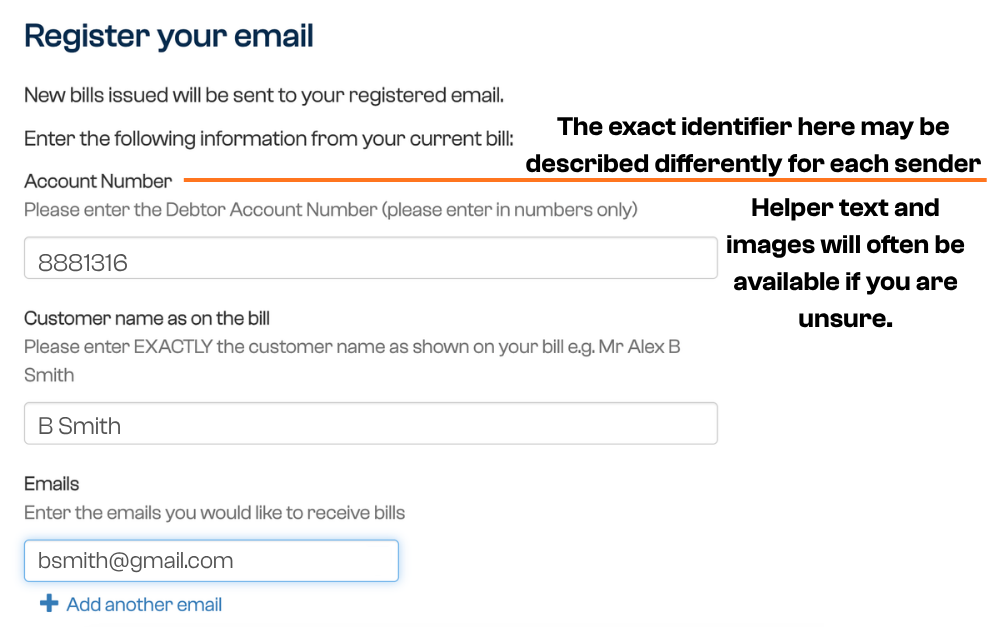
You can use Payreq to have bills, notices or other documents delivered from your Mailbox direct to your email. There are a few details you will need to confirm when subscribing for email delivery. The exact details required will vary but commonly include:
- Your Account Number, Property Number, Customer Reference Number, or another identifying number
- Your name as it appears on the bill or notice
These details help the biller confirm that you are authorised to receive documents for that account.
Subscribe for Email Delivery
- Log in to Payreq (if you haven’t already, follow these for How do I create a Payreq account?)
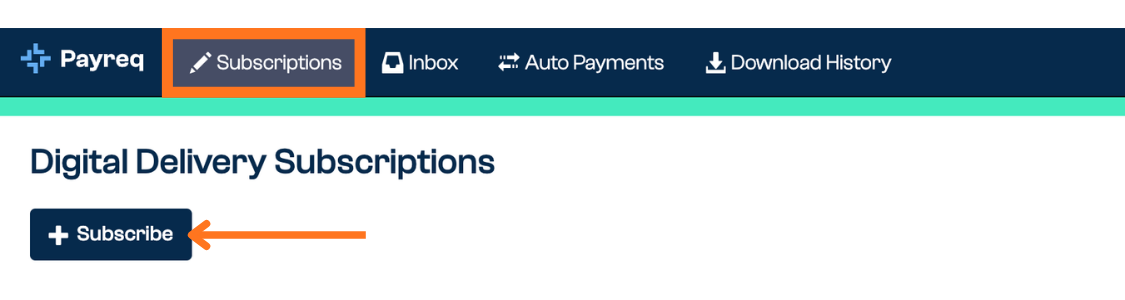
- Select Subscriptions from the top menu and click Subscribe
- Search for the biller you want to receive documents from
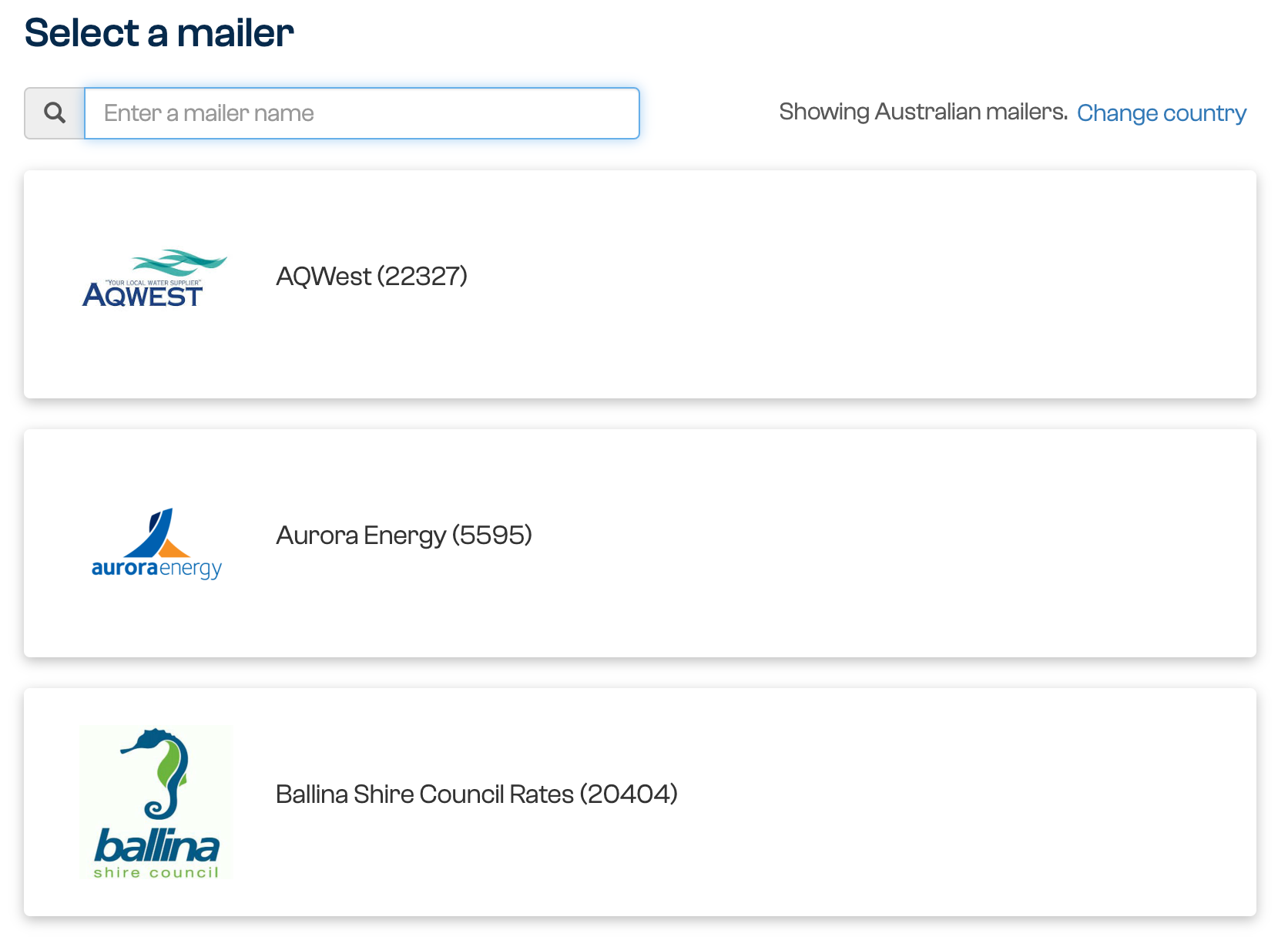
- Choose Email as your delivery method

- Enter the verification details requested by the sender
- These details are usually found on your bill or notice. For example, they may ask for your Account Number and your name as it appears on the document
- Enter the email address or addresses you wish to receive a copy of the document
- Read and accept the Terms and Conditions then click Subscribe.
What Happens Next
Your subscription request will be submitted to the biller for review. Once the biller has reviewed your request, you will receive an email confirming whether your subscription has been approved.
If you added more than one email address, each additional email address may need to be verified. To verify an email address, open the verification email and follow the instructions.
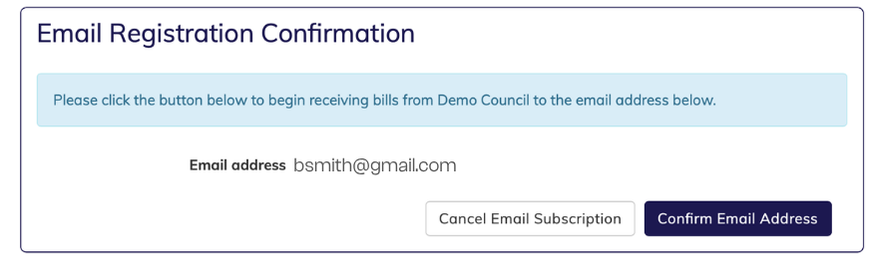
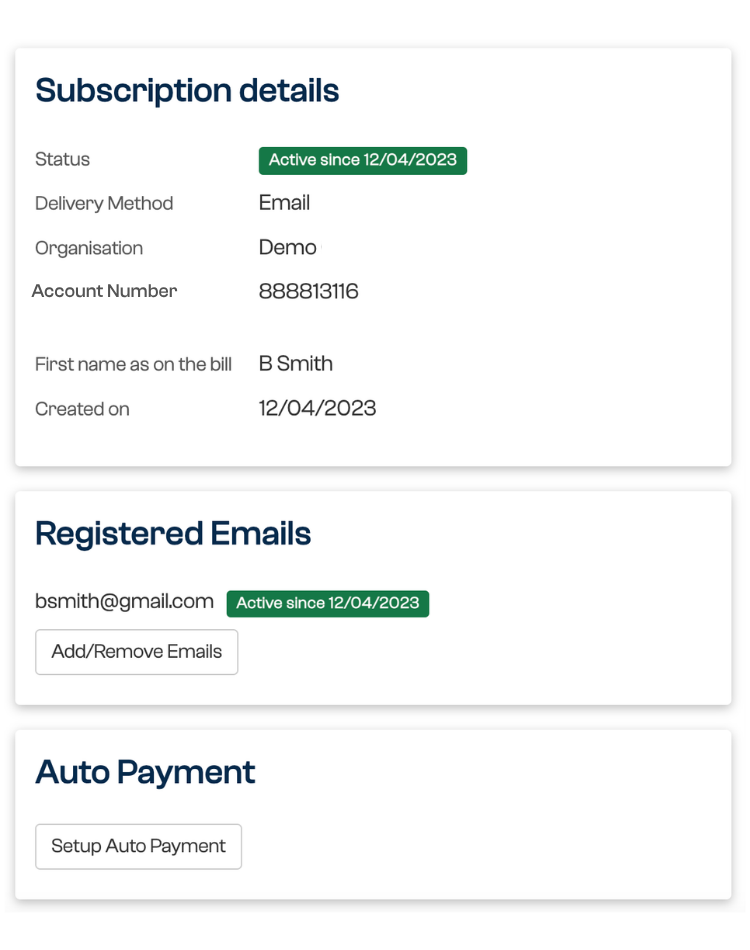
Once approved, the active subscription details can be viewed and updated in the Subscriptions tab of your Mailbox:
Was this article helpful?
That’s Great!
Thank you for your feedback
Sorry! We couldn't be helpful
Thank you for your feedback
Feedback sent
We appreciate your effort and will try to fix the article